
Press release
Hybrid for Mac: The Markdown editor for people, AI, and everyone who publishes
New macOS app makes the origin of text visible and brings real-time collaboration and one-click publishing into the editorial workday. Try it free for 7 days
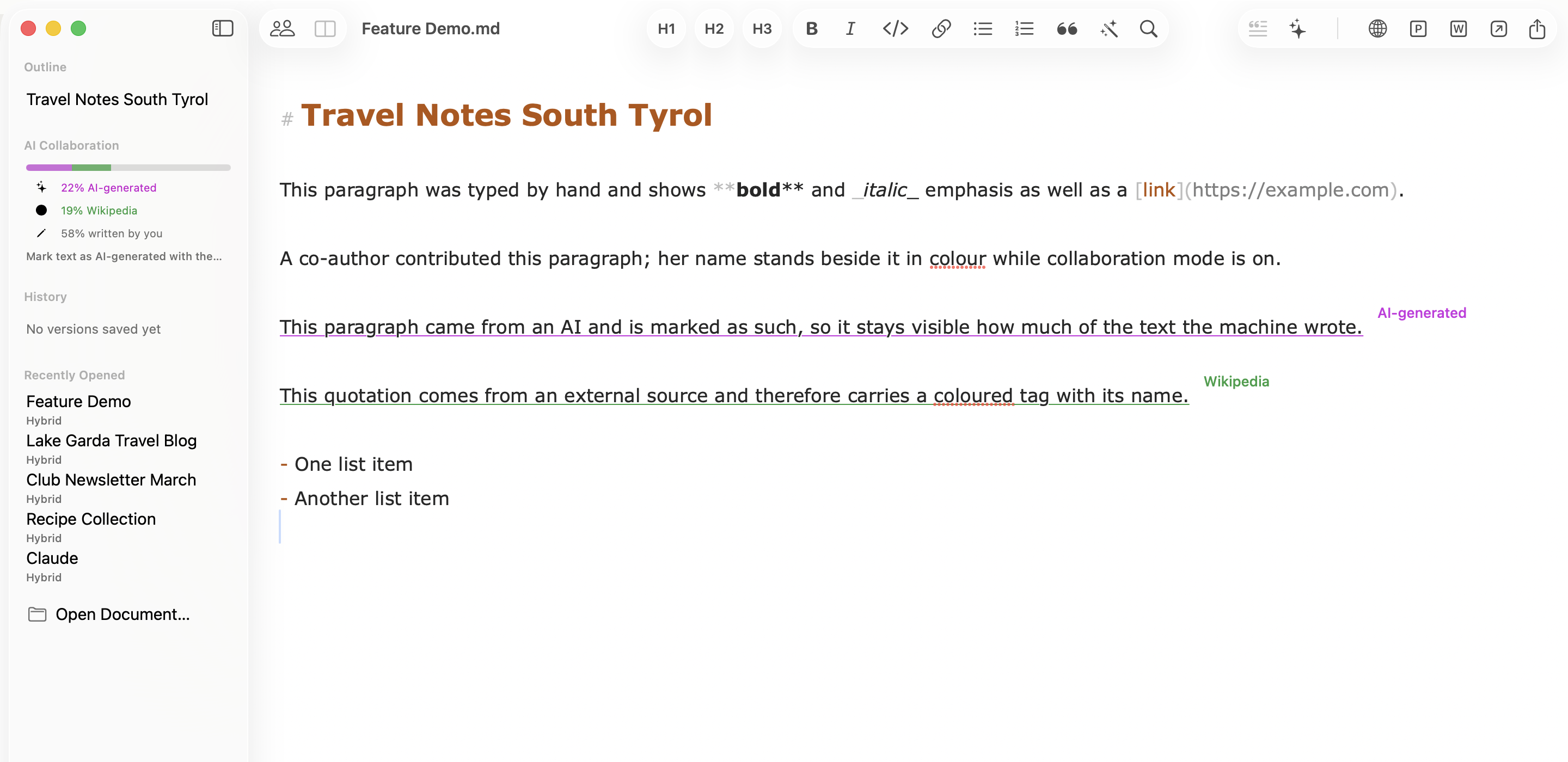
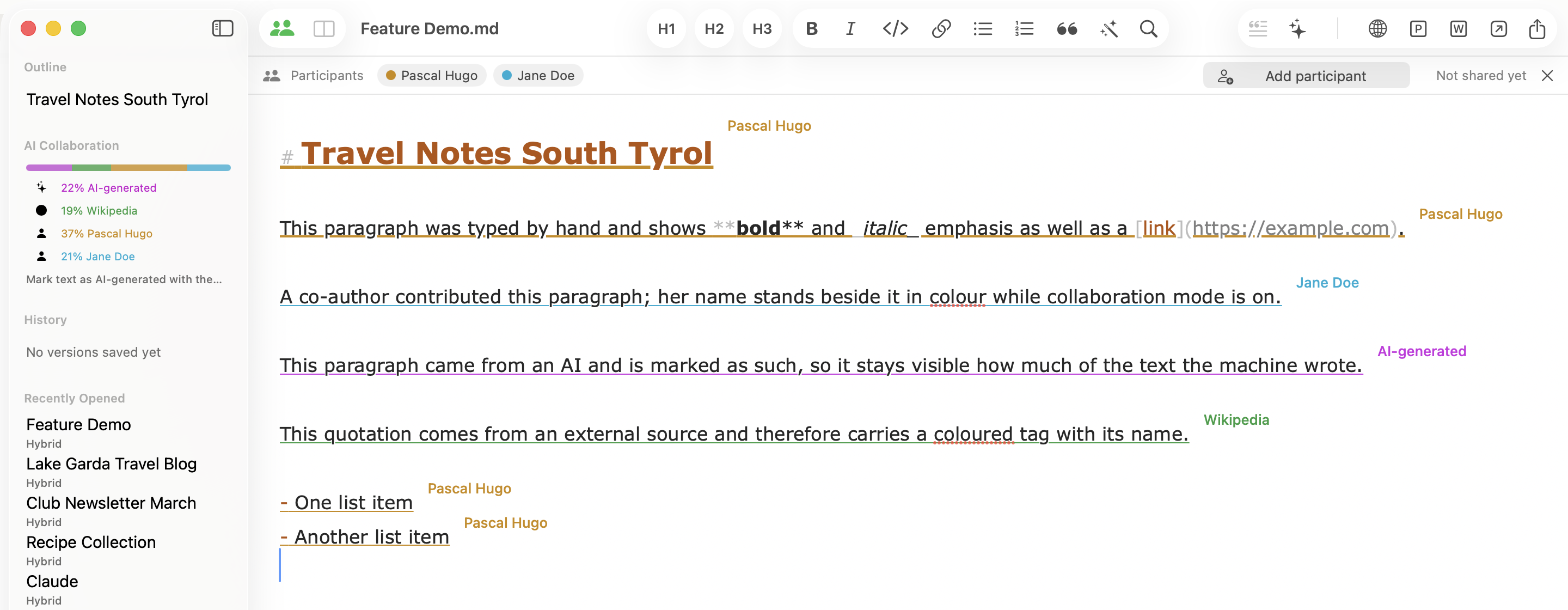
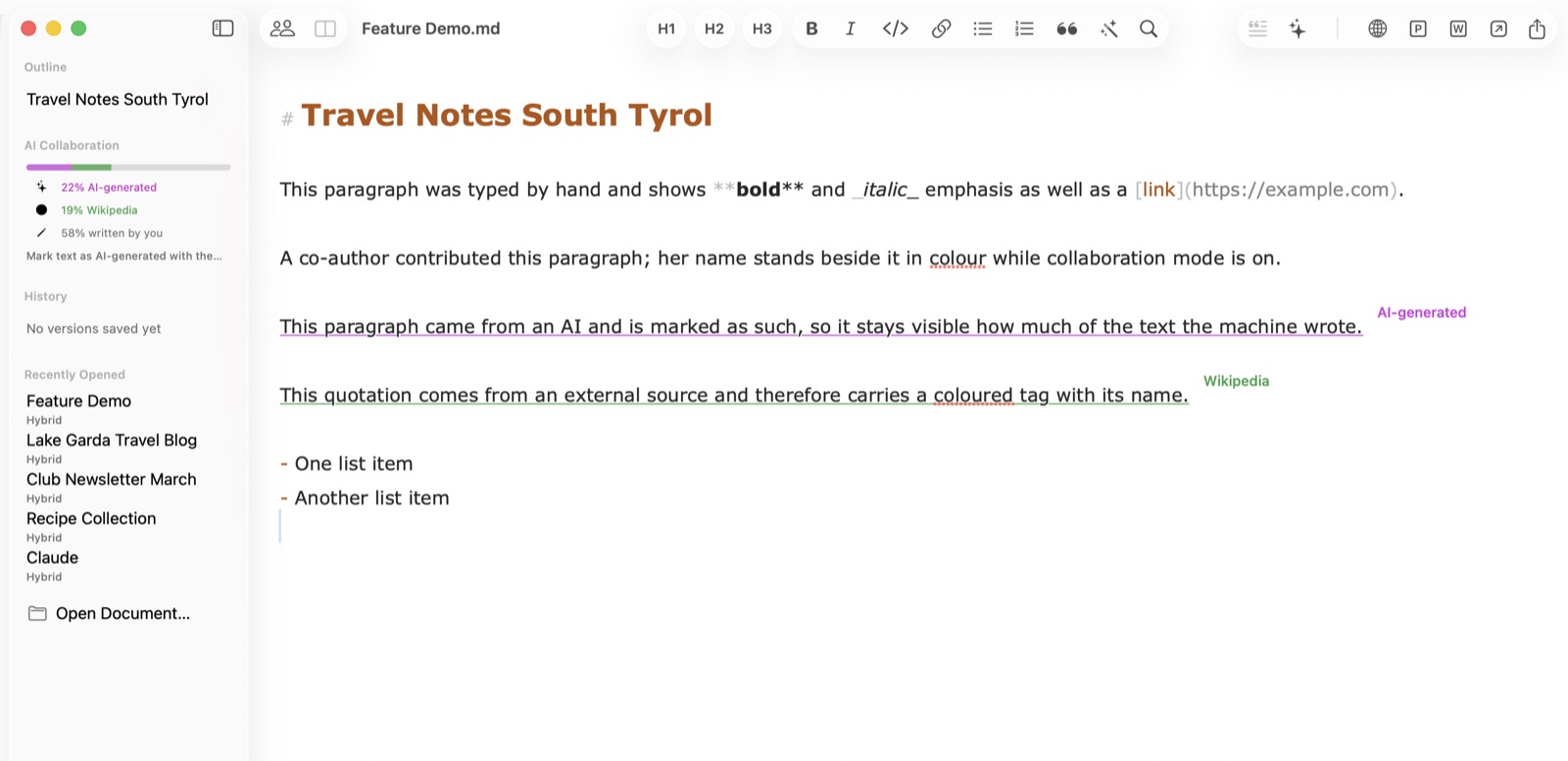
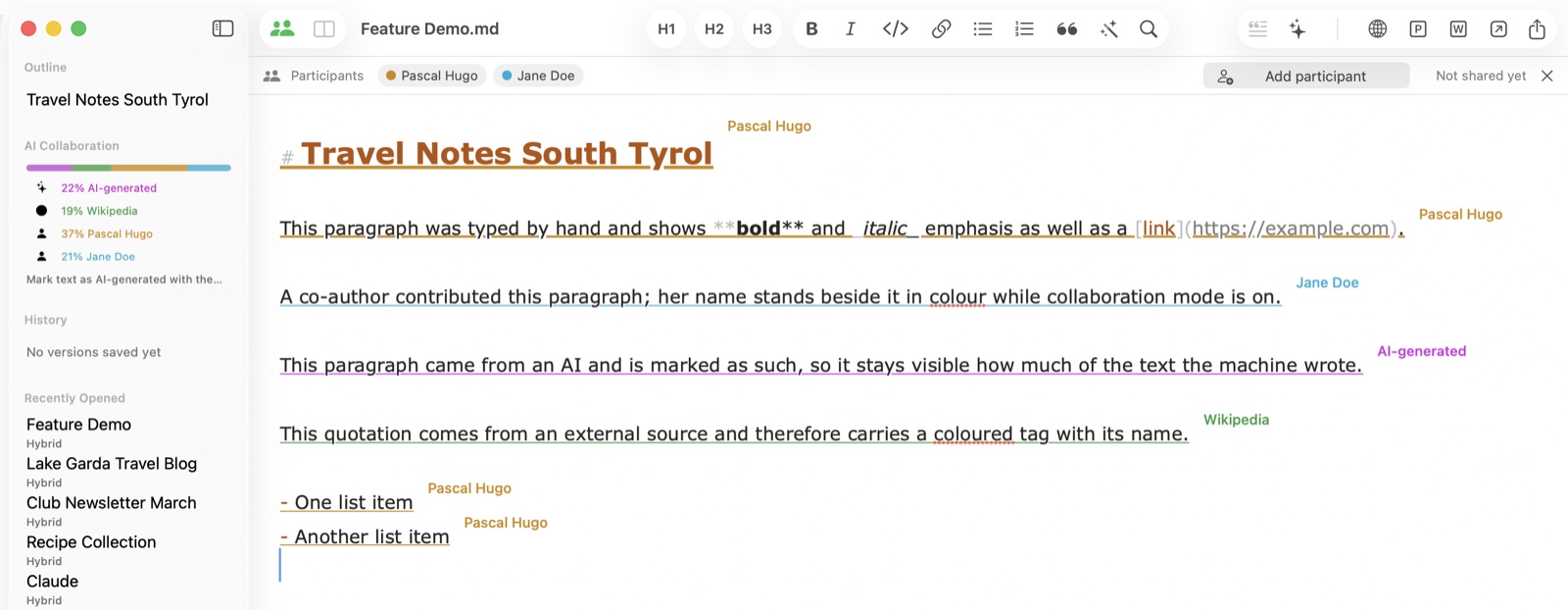
Hybrid, a Markdown editor for macOS, is now available on the Mac App Store. It helps with a question that newsrooms, agencies, and consultancies face every day in the AI era: who actually wrote this? In Hybrid, every passage carries its origin: typed by hand, marked as AI-generated, attributed to a named source, or contributed by a colleague. This attribution survives saving, sharing, and co-editing — turning transparency into a way of working rather than an afterthought.
The app was built by journalist Pascal Hugo, who has worked as an editor and media professional for almost 20 years. “In newsrooms, agencies, and consultancies, people and AI systems have long been writing texts together. But until now there was no app that honestly reflects this collaboration,” says Hugo. “The tools pretend a text is cast from a single mold. In reality it is a weave of your own sentences, AI suggestions, and quotations. Hybrid shows that weave.”
Marking the origin of a passage
Authors mark AI passages themselves with one click — and can remove the label just as easily. The marking is therefore not external proof but a working tool: it helps writers keep track, while writing and revising, of which passages came from where. External sources such as Wikipedia can be given their own name and a colored tag on the paragraph. The sidebar shows each contributor's share of the document — for example 57 percent written yourself, 25 percent AI-generated, 18 percent from an external source. What gets saved is still plain Markdown: the provenance data travels as a single invisible comment inside the .md file, which any other editor can open.
The finished text can be exported to a Word document or a PDF with one click — for example to review it with a client. For online publishing, Hybrid can export the piece as HTML, including embedded images, tables, and links. The document can then be pasted into WordPress and other content management systems without any further formatting. The labels remain in the author's Markdown file and appear in none of the exported versions.
“When you write with AI, you quickly lose track of which sentence came from whom,” says Hugo. “When a text is published, I still want to know what came from me, what came from the interview, and what came from the chatbot. That answer should come from the document itself, not from my memory.”
Why Markdown?
There is a simple reason Hybrid is built on Markdown: Markdown files are equally easy for humans and AI tools to read and edit. That makes it the perfect format for people and machines working together. At the same time, every Hybrid document remains an ordinary .md file with no vendor lock-in that any other editor can open.
Compare, collaborate, publish
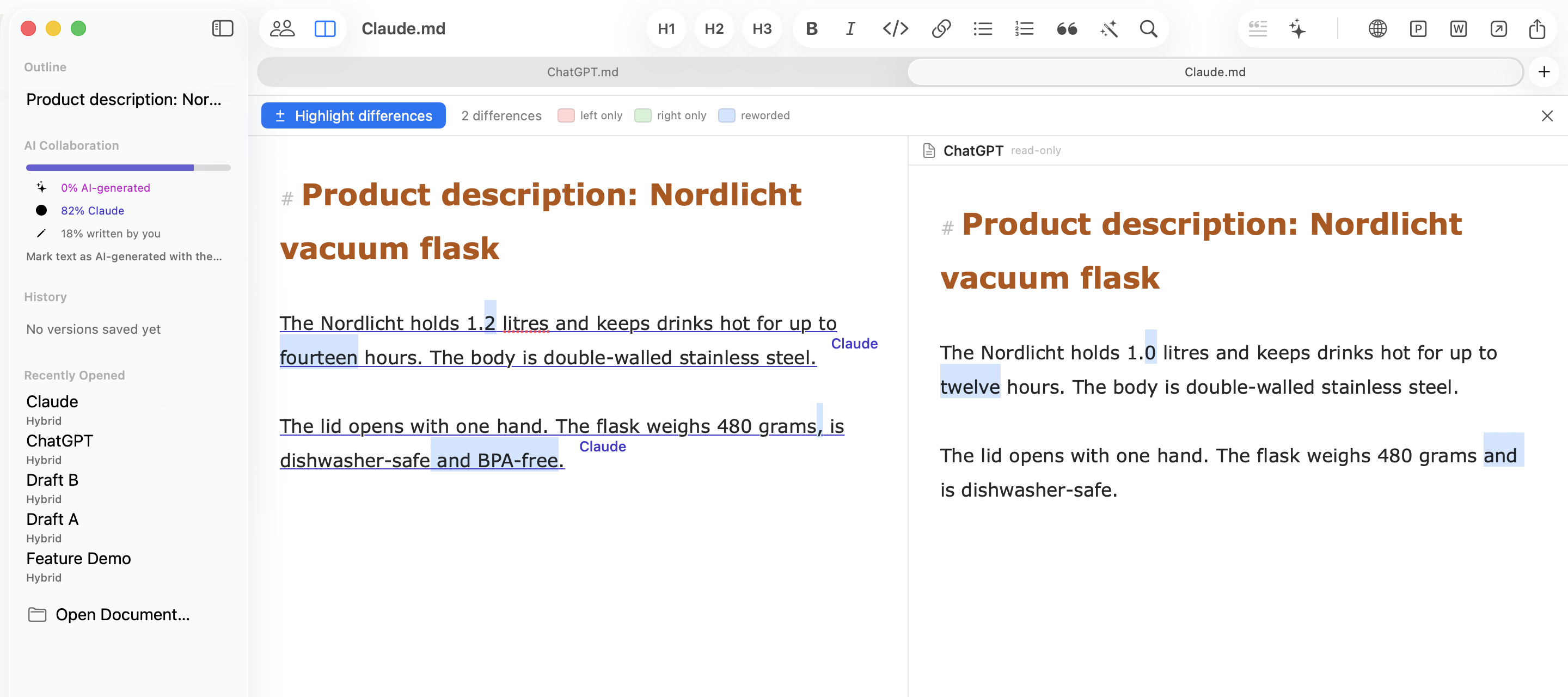
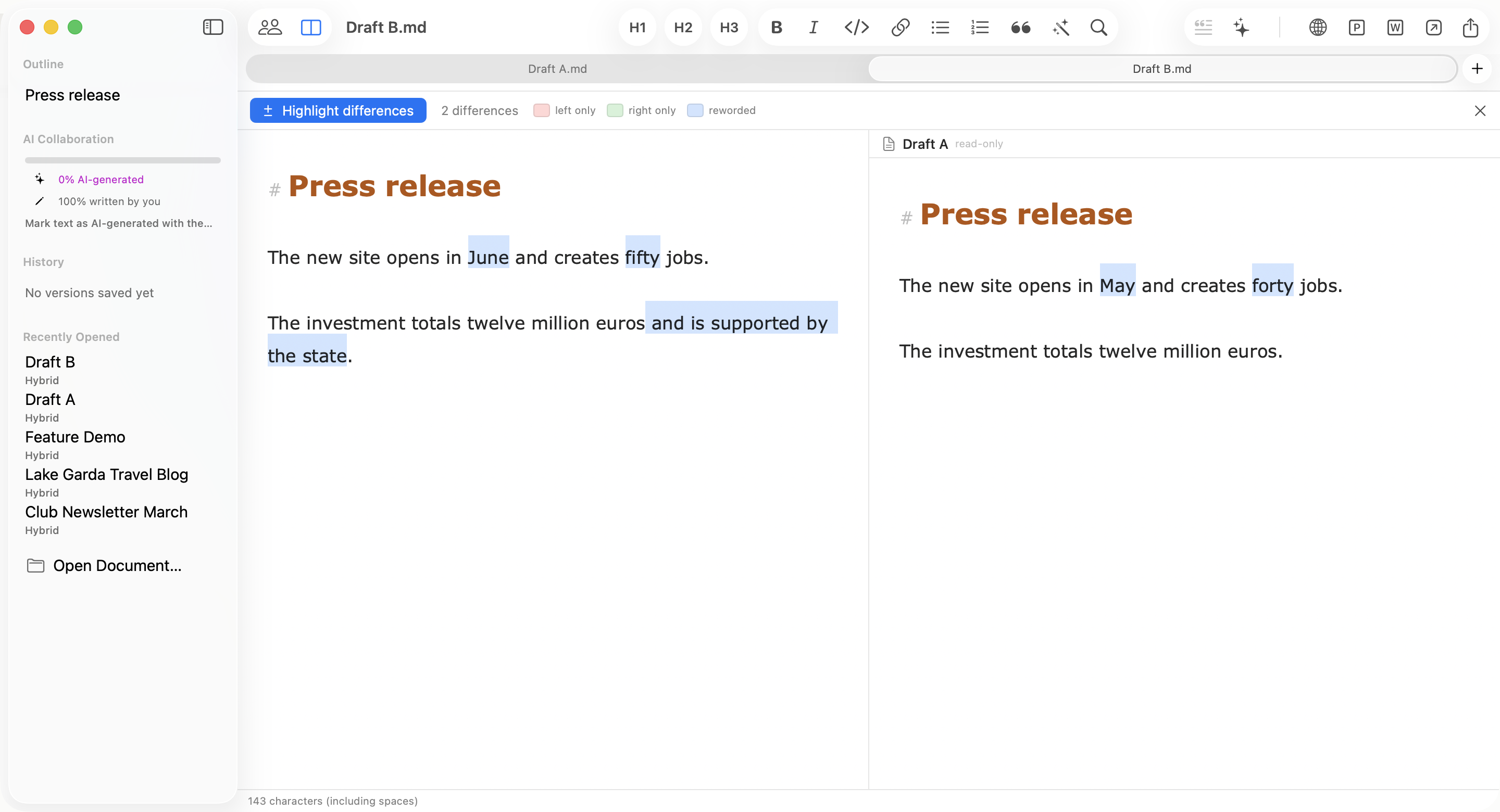
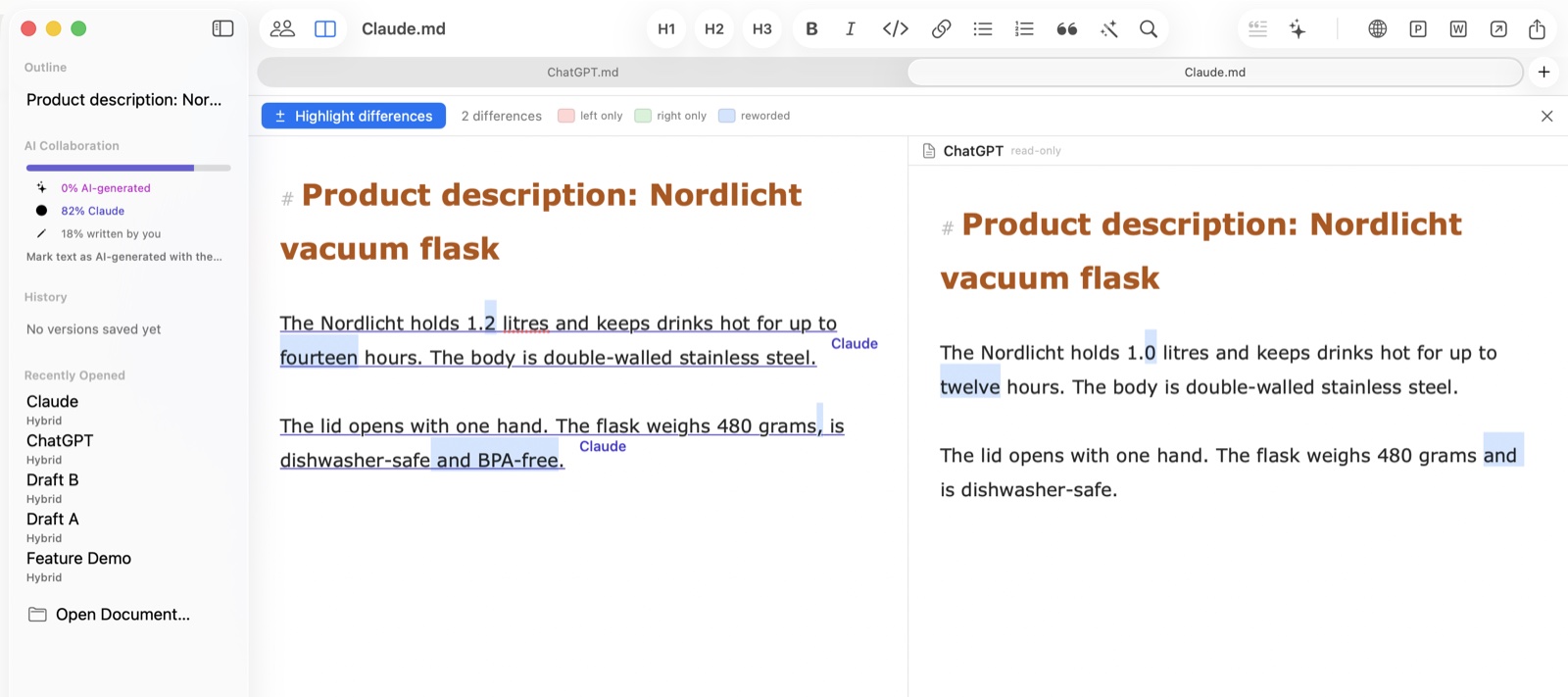
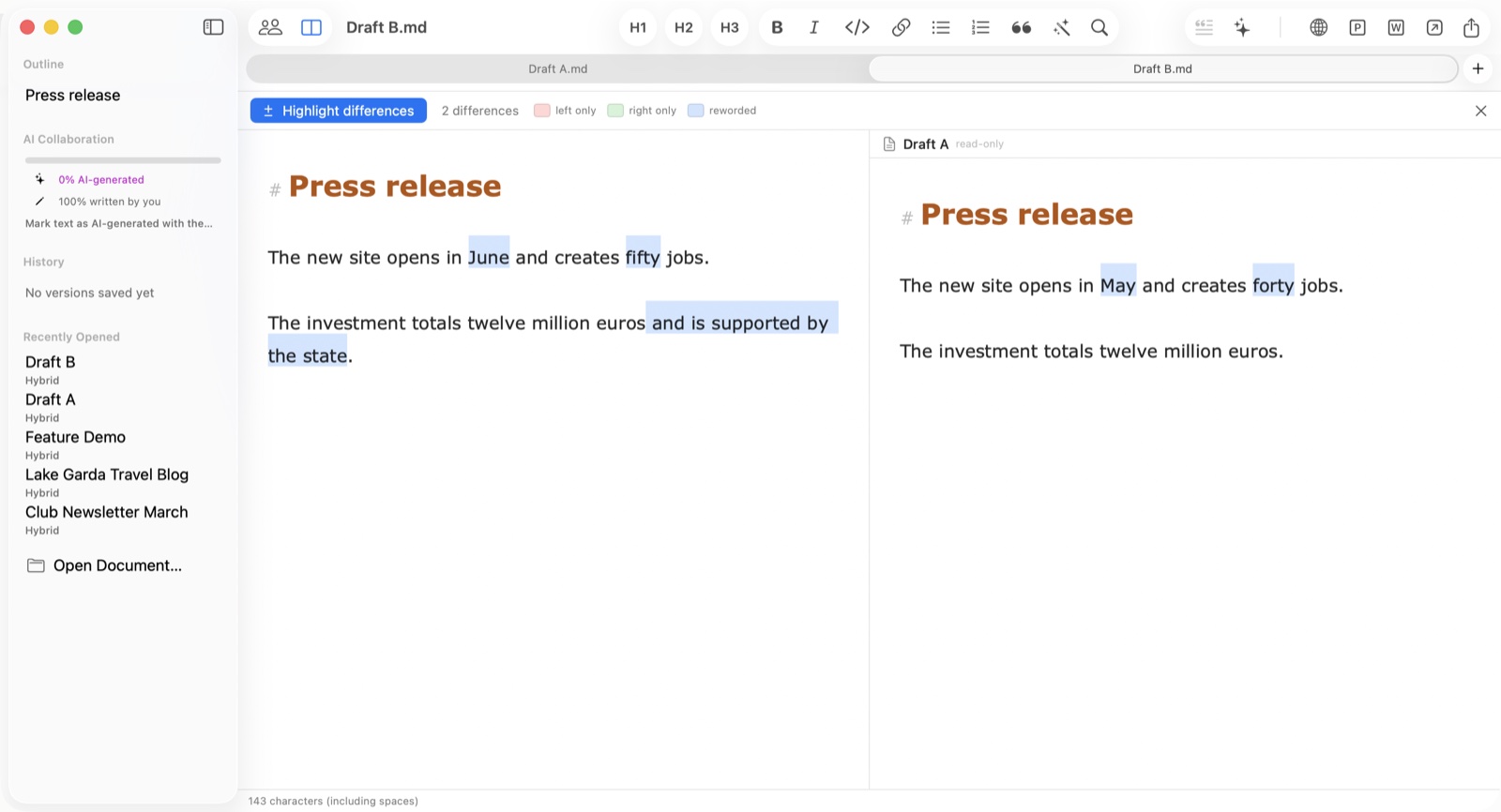
Sometimes you want to compare near-identical documents to find the differences. How does the text written by ChatGPT differ from the one written by Claude? To compare the capabilities of AI models, for example, Hybrid includes a side-by-side comparison: differences are highlighted in color on request and counted. With one click, the text can be sent back to ChatGPT, Claude, Perplexity, or a tool of your choice for further editing. When the result is pasted into the text, the author can mark it as “AI-generated.”
Real-time collaboration with colleagues or external partners runs through the document owner's iCloud: invitees write along live, and every passage carries its author's name and color. While someone types, an indicator with pulsing dots appears. The document never leaves the owner's account. Guests need their own iCloud account to take part, but write along without a subscription of their own. To protect the data, guests can neither export the file nor save a copy of their own.
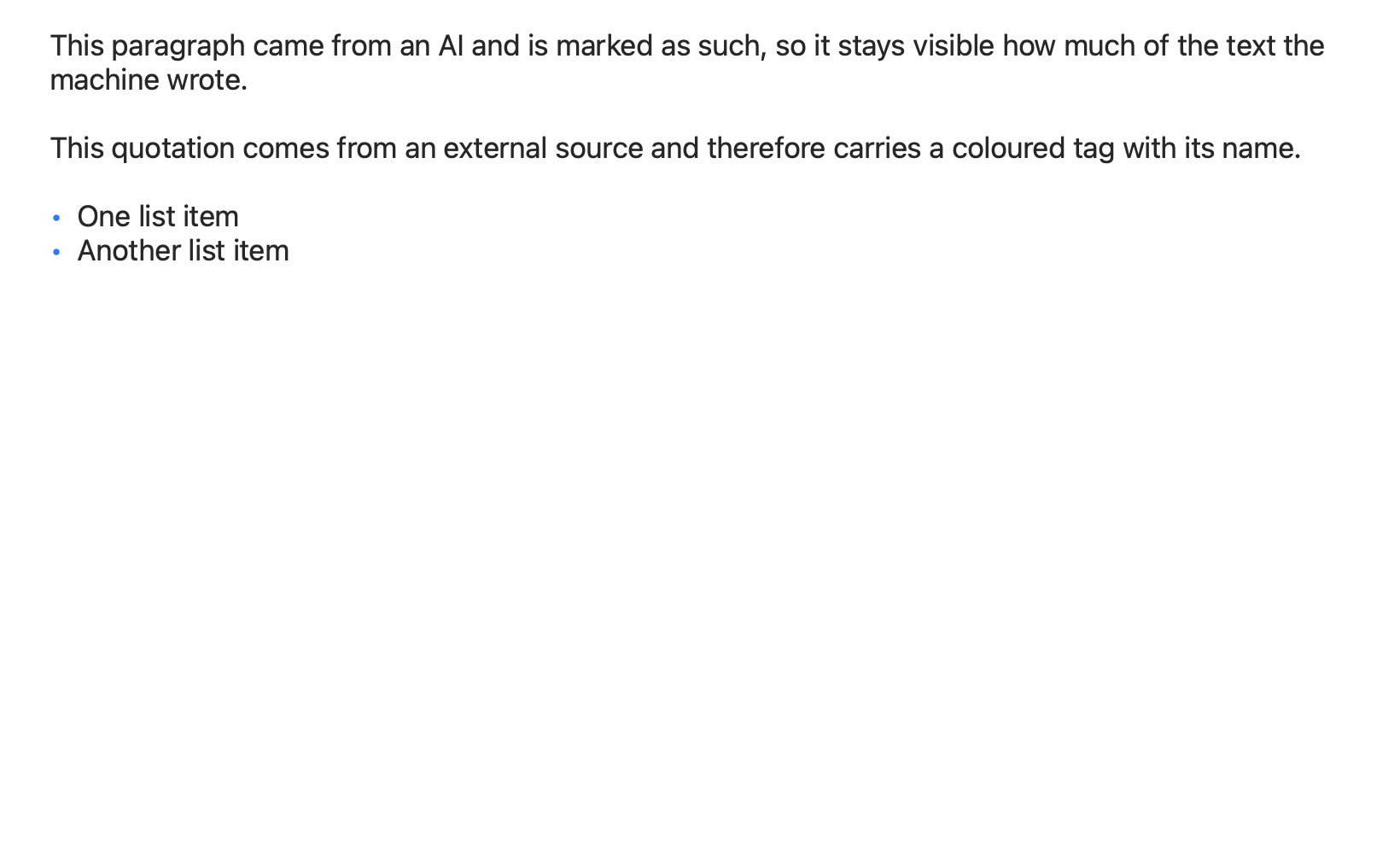
For publication, Hybrid copies the document as formatted HTML with embedded images — ready to paste into WordPress and other content management systems. Added to this are PDF and Word export, a live preview as a separate window or split view, an automatic version history, images and tables via drag & drop, and a Touch ID lock.
Automatic version history
While you write, Hybrid automatically saves snapshots about ten seconds after the last keystroke — without the author having to think about it. Every state appears with a timestamp in the sidebar's history, can be viewed, and can be restored with one click. The current state is itself saved as a version first, so nothing is ever lost. The history does not live in the file but in the author's iCloud account: the Markdown file stays lean, and documents you pass on contain no old versions. Deleted passages do not travel along in secret. The history is tied to the document by a stable identifier and finds it again after renaming or moving — even on another Mac.
For people who publish
Hybrid is aimed at everyone whose texts are written by several hands: PR and communications, marketing and agencies, newsrooms and journalism, consulting, AI professionals, and online publishing and content teams. “The need is the same everywhere,” says Hugo. “Whether it's a press release, a campaign text, or a consulting report: as soon as AI writes along, you have to be able to keep track of who wrote what — without it slowing down the work. That is exactly what I built Hybrid for.”
Price and availability
Hybrid is available on the Mac App Store and is free and fully usable for 7 days after installation — with no account and no payment details. After that, the Hybrid Pro subscription unlocks all features for 2.99 euros per month or 24.99 euros per year. Without a subscription, Hybrid remains a reader for Markdown documents. The app runs on macOS 13 (Ventura) or later, on Apple Silicon and Intel, and is available in nine languages: German, English, French, Spanish, Italian, Portuguese, Dutch, Japanese, and Simplified Chinese. A version for iPhone and iPad is in the works; the public beta via Apple's TestFlight has already begun. Anyone who wants to write along early and give feedback can join for free: testflight.apple.com/join/vSs27gRv.
About the developer
Pascal Hugo has worked as a journalist, editor, and media professional for almost 20 years. Hybrid grew out of his own editorial practice: as an answer to a gap between AI tools that write, editorial tools that want nothing to do with them, and inadequate export functions for online publishing.
Press kit
If ZIP archives are not allowed in your company for security reasons, every file is also available individually.
Screenshots – print-ready (PNG, 2880 px)

Screenshots – web-optimized (JPG, 1600 px)

Press contact
Pascal Hugo
E-Mail: pascal@pascalhugo.de
Web: hybrid-editor.com
Free for editorial use; a specimen copy is appreciated.