
One-click online publishing
Copies your document as formatted HTML with embedded images — ready to paste into WordPress and other CMS. Images appear exactly where they belong, not as broken links.
 Hybrid
Hybrid for Mac, iPhone, and iPad
Hybrid keeps track of where every passage comes from: written by you, generated by an AI, quoted from a source, or contributed by a colleague. Built for people who publish — in PR, marketing, agencies, and newsrooms.
Try it free for 7 days
New Hybrid is now also available for iPhone and iPad. Learn more →
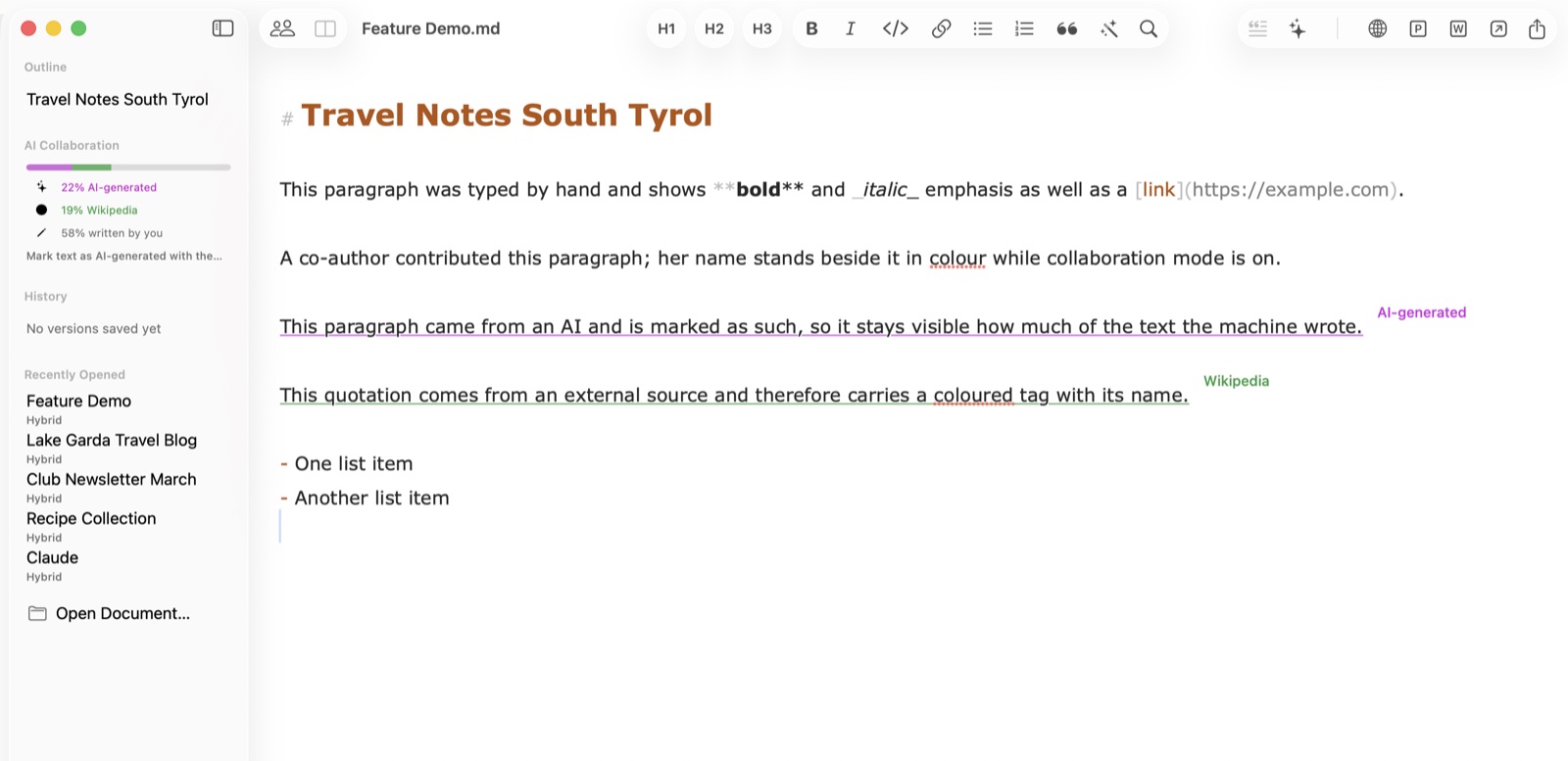
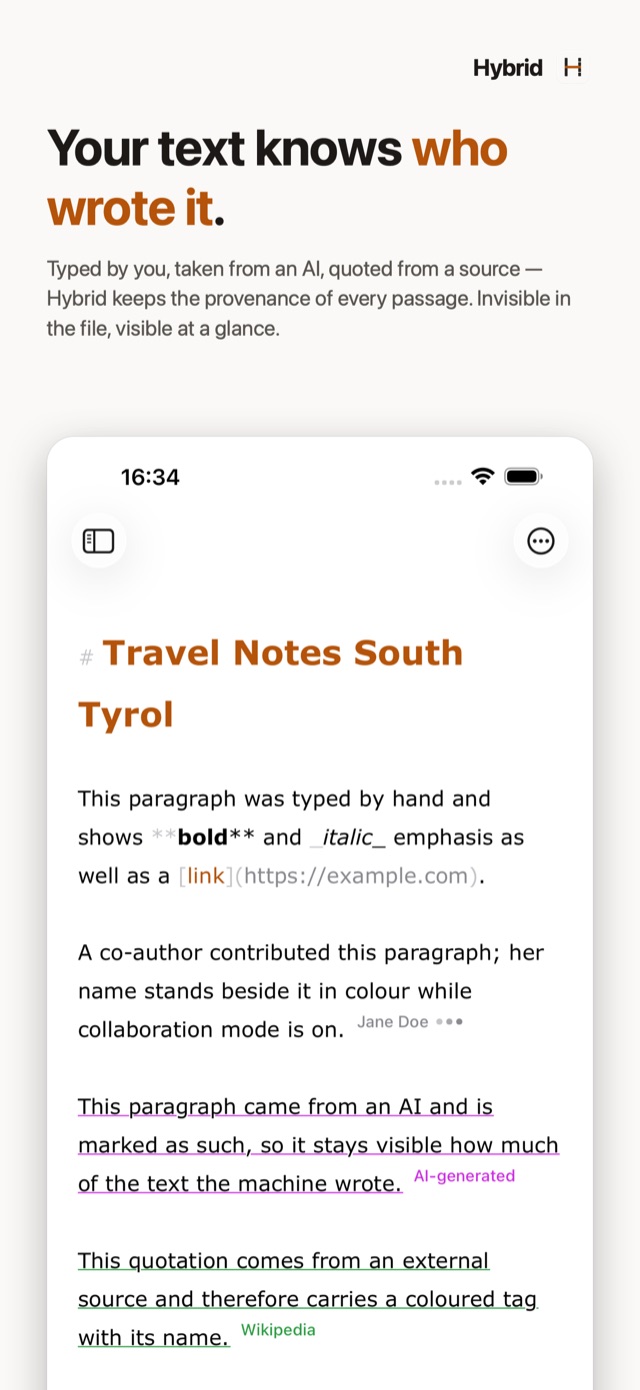
Every passage carries its origin — and keeps it through saving, sharing, and co-editing. The record travels inside a plain .md file that any other editor can open; the labels float above your text and never end up in an export.
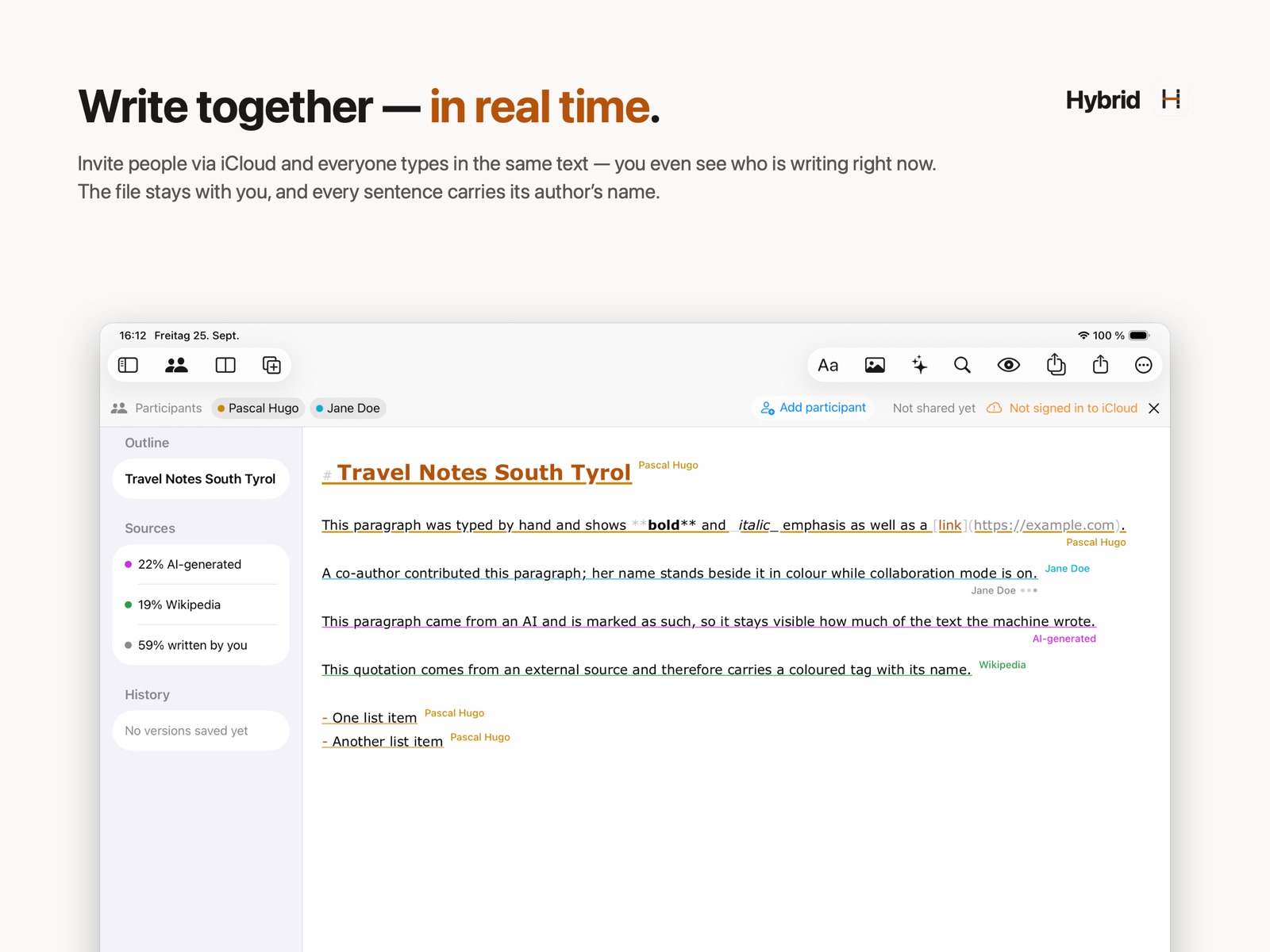
This paragraph was typed by you — everything you write automatically counts as yours.
This passage came from an AI and is marked, so the machine's share of the text stays visible.AI-generated
This quote comes from an external source and carries its name as a small label.Wikipedia
The central promise: what someone contributed stays attributed to them — even if access is revoked later. Provenance is a record of who wrote, not of who is currently allowed to.
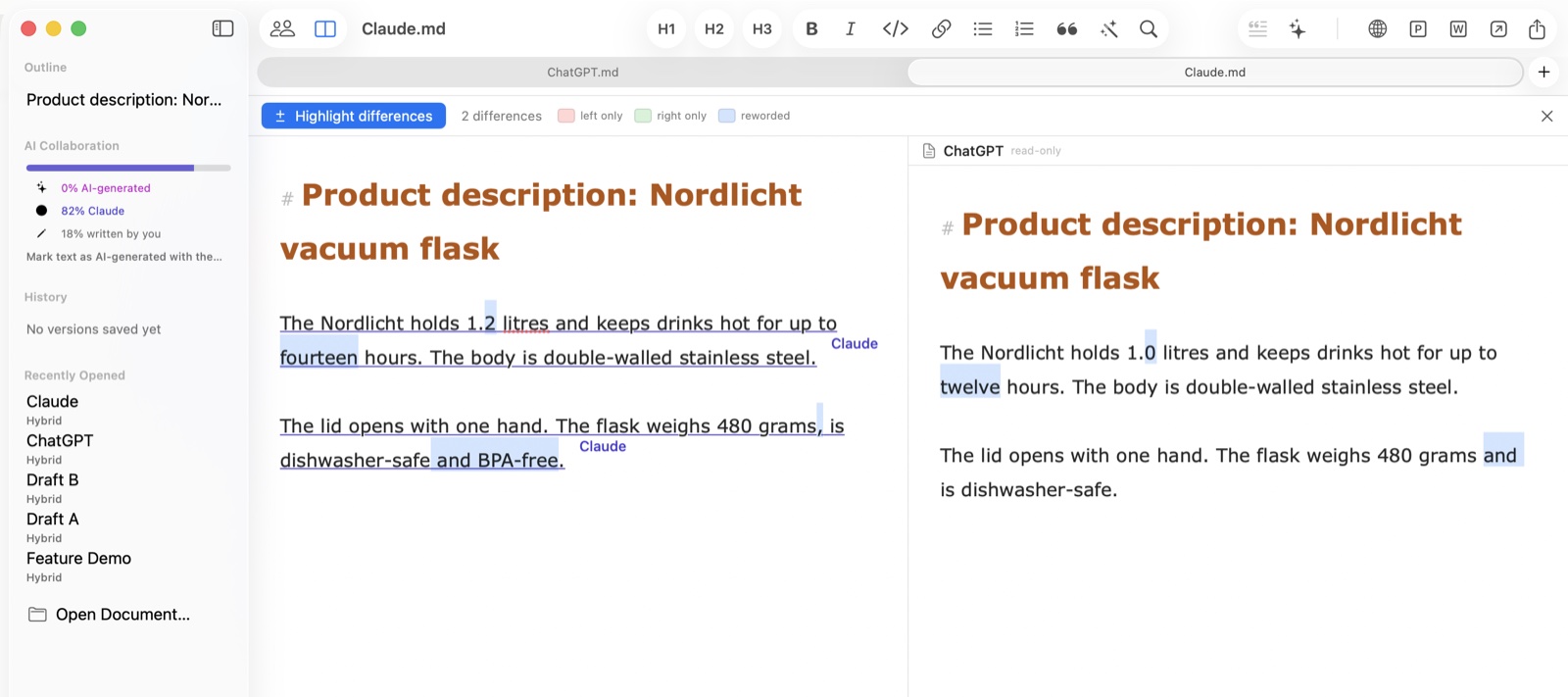
The same question went to two AI tools, and the answers look alike at first glance. Hybrid highlights exactly where they differ and counts the differences. Tag each answer with the tool's name as its source, and even after merging you still know which sentence came from which.
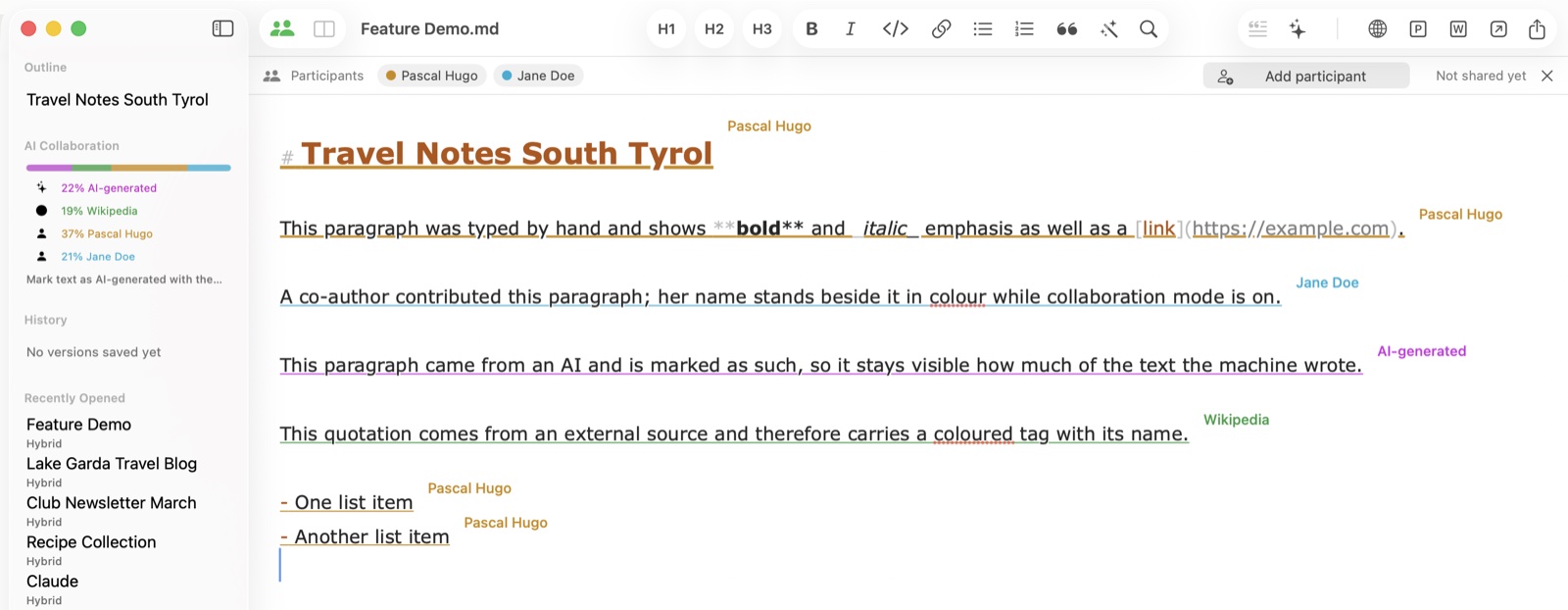
Invite people by link, from Contacts, by Mail or Messages — the document itself stays exclusively in your iCloud. Invitees write along live: every passage carries its author's name and color, and while someone types, their name appears with pulsing dots. Invitees cannot export the document or save it as a file of their own — it belongs to the owner.
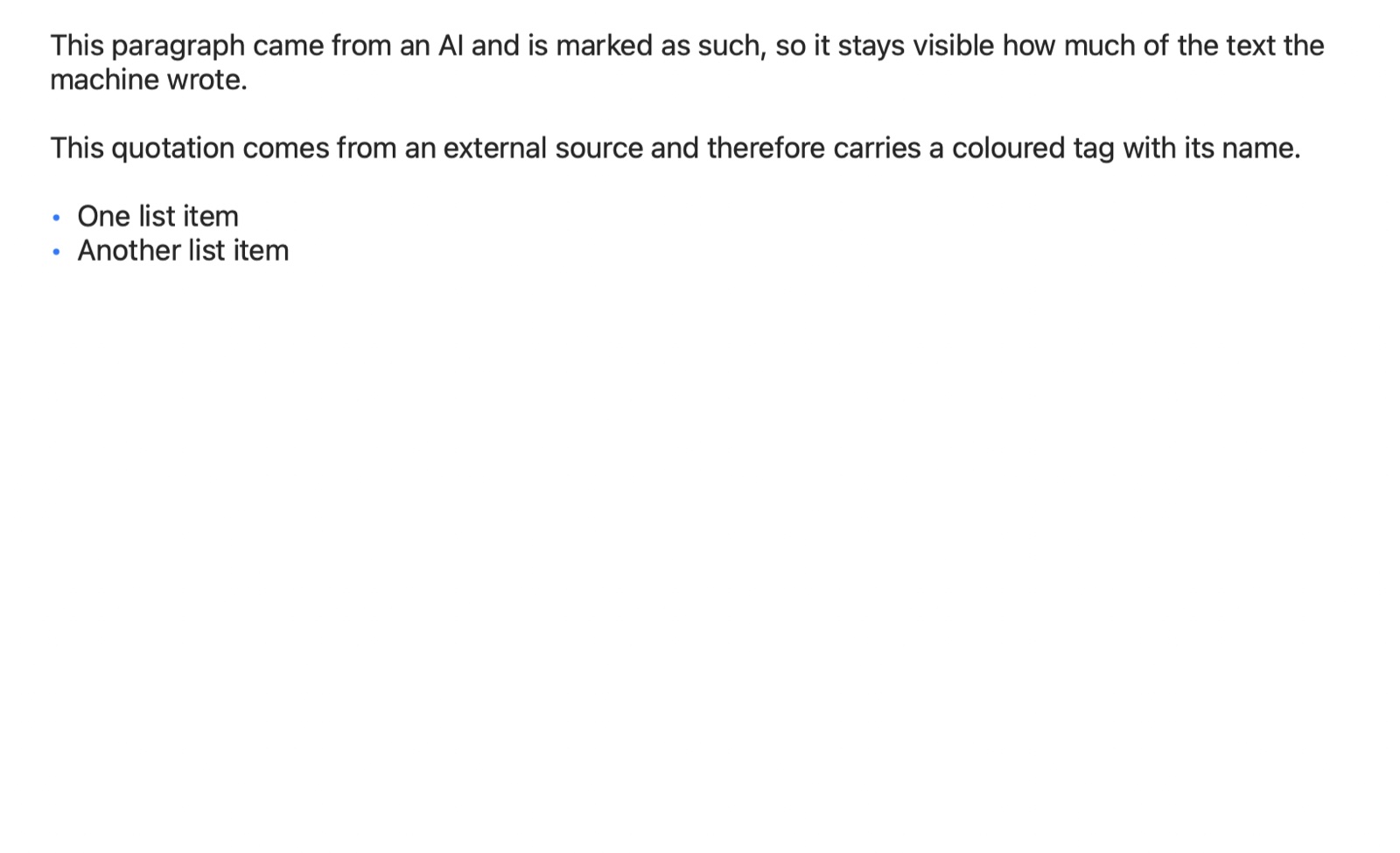
Headings, lists, real tables, and embedded images rendered the way your readers will see them. The preview follows your typing live — in its own window or as a split view right next to the editor; ideal for checking a text before it goes into the CMS.
Copies your document as formatted HTML with embedded images — ready to paste into WordPress and other CMS. Images appear exactly where they belong, not as broken links.
Send your text to ChatGPT, Claude, Perplexity, or an app of your choice with one click. Mark AI passages, and read each contributor's share in the sidebar.
Markdown is equally easy for humans and AI tools to edit — the perfect format for people and machines working together. Documents are pure .md files any editor can open; everything Hybrid knows on top travels in a single invisible comment.
Drop a photo into the text: it is resized, converted, and referenced in Markdown. Drop a CSV or Excel file and it becomes a formatted table.
Hybrid snapshots your work as you write; every state can be viewed and restored. The history lives in your iCloud, not in the file — documents you pass on contain no old versions.
Lock the app instantly or automatically after inactivity. Locked means locked: all windows hidden, exports disabled — until Touch ID unlocks.
Wherever text is written by several hands — human and machine — Hybrid keeps the origins straight.
Draft press releases with AI support while keeping track of which quote came from which source. What a human, an AI, or a source contributed is recorded in the document itself — transparency as a workflow, not an afterthought.
Many writers, one voice. See each contributor's share, compare drafts side by side, and hand polished HTML to any CMS — the whole content workflow on your Mac.
Separate your own words from sources and AI suggestions. Named sources stay attached to every paragraph — through edits, versions, and shared editing.
With reports co-written with AI, what matters is knowing who wrote what. Hybrid keeps a record of who — or what — wrote every passage, and the Touch ID lock keeps confidential drafts closed.
Compare model outputs side by side, measure the AI share of a document, and keep prompts and results as clean Markdown — readable in any tool.
From Markdown to CMS in one click: formatted HTML with images embedded exactly where they belong. Plus PDF, Word, and clean Markdown export.
After installation, Hybrid is free and fully usable for 7 days. After that, the Hybrid Pro subscription unlocks all features — the App Store shows the price.
The full feature set from the first launch — no account, no payment details.
The subscription runs through the App Store and can be cancelled there at any time. Without it, Hybrid remains a reader: opening, reading, searching, and the preview stay free.
Anyone invited to a collaboration writes along without a subscription of their own — only the document's owner needs one.
Hybrid is now on the App Store for iPhone and iPad — with the same documents, the same provenance, and the same collaboration. Everything stays in sync with your Mac through iCloud: keep writing on the go, publish at your desk.

Hybrid is available in nine languages: English, German, French, Spanish, Italian, Portuguese, Dutch, Japanese, and Simplified Chinese — and so is this site.
Hybrid for Mac, iPhone, and iPad — the Markdown editor for people, AI, and everything you publish.


Mac: macOS 13 (Ventura) or later · Apple Silicon & Intel · iPhone/iPad: iOS 16 or later